Beyond mail merge: practical Word document automation
Word document automation for the cases mail merge can't handle: conditional clauses, variable sections, multi-language outputs, and the right toolset.
Mail merge fills named fields, one document per row, and is the right answer for letters, certificates and simple invoices. Word document automation starts where it stops: conditional clauses, sections that repeat a variable number of times, pricing tables that compute their own rows, and multi-language output. The toolset for those cases, python-docx, OpenXML, Office.js and dedicated platforms, is below.
A legal-ops director told me last quarter that her team’s mail-merge “automation” handled maybe twenty percent of the document work. The other eighty percent was the contracts with conditional indemnity clauses, the audit reports with variable section counts, the proposals where pricing depended on six inputs, the regulatory filings that needed an Arabic edition for one jurisdiction and an English edition for another. None of that is mail merge. All of it is Word, and all of it is high-stakes enough that the conditional logic matters more than the typography.
Word document automation has a reputation as the boring sibling of slide automation. The reputation is wrong, and it’s a useful kind of wrong — because the documents Word handles are the ones where automation pays back fastest. Contracts, audits, regulatory filings, structured legal opinions. The places where a missed conditional clause is a real liability, not a slightly off-brand cover.
This piece is the practical version. What mail merge actually handles, what it can’t, the toolset for the harder cases, and when each tool fits. The longer architectural treatment lives at word document automation.
What mail merge actually does
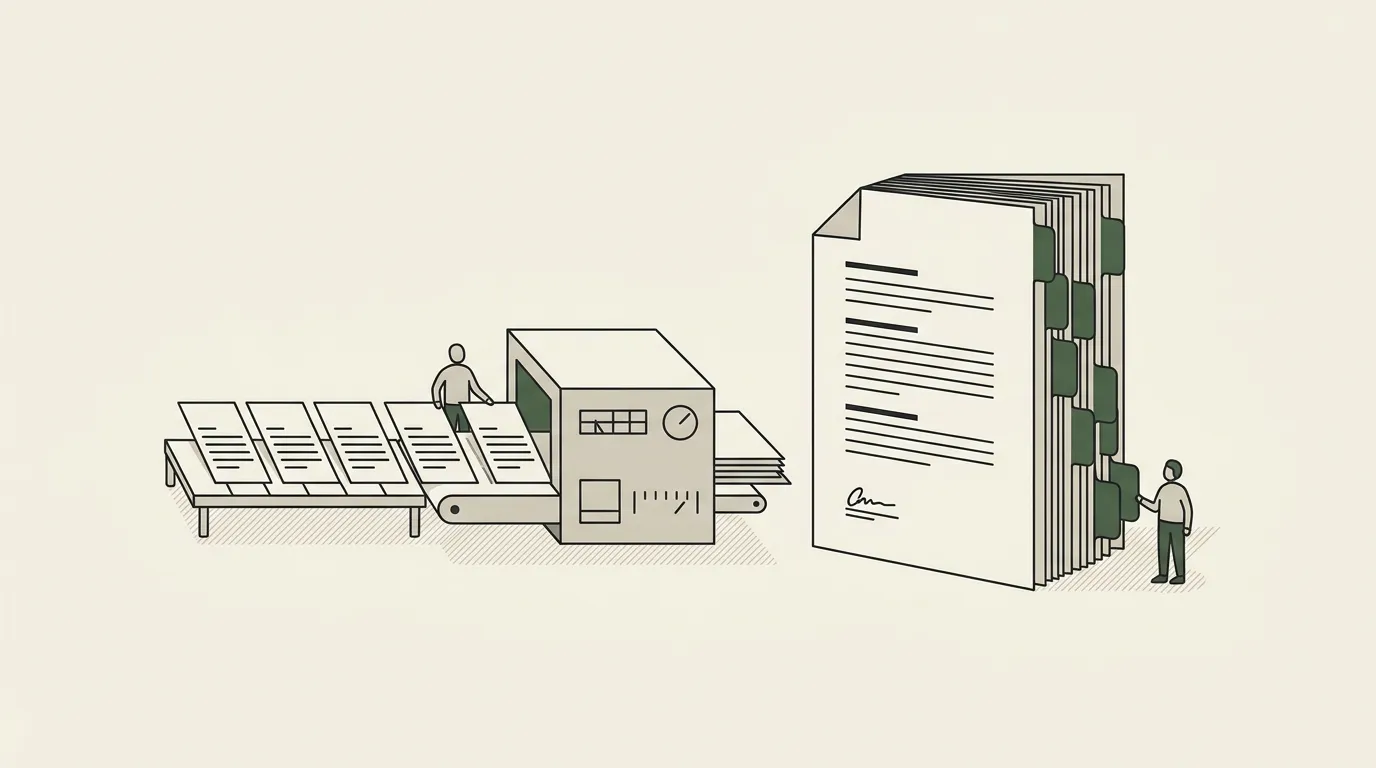
Mail merge is a fill-the-fields engine. A template document has named placeholders; a data source has rows; mail merge walks the data and produces one document per row. That’s it. The shape it fits is exactly:
- Letters that vary by name and address.
- Certificates that vary by recipient.
- Envelopes, labels, mail-out reminders.
- Simple invoices with named-field substitution.
Inside that shape, mail merge is genuinely good — it’s been good for thirty years and it doesn’t need replacing. The mistake is extending its reputation to the cases it doesn’t fit.
The cases mail merge can’t handle
Four document patterns where mail merge breaks, and where Word document automation actually starts.
| Mail merge cannot | Because | What handles it |
|---|---|---|
| Conditional clauses | Twenty possible clauses, a different subset per jurisdiction, customer type or value; merge fills placeholders inside clauses that are already there | Templated logic ({% if jurisdiction == "EU" %}) in docxtpl, or a platform that wraps it |
| Variable section counts | Three findings or thirty; the template cannot pre-allocate slots | Loops ({% for finding in findings %}), with the looped section’s formatting defined in the template style |
| Conditional pricing tables | Rows depend on selections, values on calculations | A templated table block with an inline loop; keep the pricing logic in the data layer |
| Multi-language output | The template is monolingual; RTL changes direction, not just font | A localisation layer plus locale-switched sections; Word’s native rendering does the rest |
The toolset
Four serious options for Word document automation, in increasing order of abstraction.
| Tool | What it is | Fits | Does not fit |
|---|---|---|---|
| python-docx with docxtpl | Script-first .docx read/write, Jinja-style conditionals and loops | Modest complexity, an engineering team to maintain it, templates that rarely change | Legal teams without engineers, templates that change quarterly, multi-language at scale |
| OpenXML SDK | Microsoft’s low-level XML interface, deeper coverage of comments, tracked changes, footnotes | Large .NET shops with very complex documents | Most teams; the expertise investment is significant |
| Office.js add-ins | Code running inside Word: a panel, a ribbon button, clause suggestions | Per-user, in-Word drafting | Batch generation; it needs a running Word instance |
| Dedicated platforms | The lower-level tools wrapped in a friendlier authoring experience | Legal ops, compliance and finance ops at any recurring scale | One-off, low-volume, low-stakes documents |
Why Word automation is where the highest-stakes documents live
A point worth saying out loud, because the slide-automation category gets all the attention. The documents most organisations would describe as their highest-stakes — the ones where an error costs real money or real liability — overwhelmingly live in Word, not in slides.
Contracts. Audit reports. Regulatory filings. Legal opinions. Compliance certifications. Insurance policies. Loan agreements. Medical-device documentation. Pharmaceutical regulatory submissions. Bank credit memos. Construction contracts. Government RFP responses. Each one is a Word document (or a PDF rendered from a Word document). Each one carries real downstream cost when it’s wrong.
The under-investment in Word document automation, relative to slide automation, is partly because Word doesn’t make for a viral product demo. A prompt-to-deck tool generating a beautiful slide is a fifteen-second video; a Word automation tool generating an audit report with the right conditional clauses is a paragraph of explanation. The market signals favour the demoable, but the operational value is heavier on the Word side.
If your team is in legal ops, finance ops, compliance, or a regulated industry — and you’ve been watching the slide-automation noise wondering if you’re missing something — the answer is probably that you’re not missing anything in slides; the work that pays back fastest in your operation is in Word.
How to start
A short list, in the order the work should happen.
First, audit which Word documents recur. The output of the audit is a list with three columns: document name, monthly volume, average build time. The documents that recur, have meaningful volume, and have meaningful build time are the candidates.
Second, check whether mail merge handles them. For each candidate, look at the template — does it have conditionals, loops, multi-language requirements, or computed sections? If yes, mail merge isn’t the answer. If no, mail merge probably is.
Third, for the cases mail merge doesn’t handle, choose the toolset. Engineering team in place, modest complexity: python-docx. No engineering team, recurring complexity: a dedicated platform. Single-user in-Word workflows: an Office.js add-in.
Fourth, invest in the template. Word document automation, more than slide automation, lives or dies on the template’s quality. A clean template with proper styles, named regions, and consistent formatting will save more time than any tool choice.
For the longer architectural treatment of where Word document automation sits in a broader stack, read the word document automation guide. For the category-level view of mail merge software including the upgrade path past Word + Excel, see mail merge software. For the build-vs-buy framework that applies across the category, see document automation tools build buy commission.