Runs that deliver to Google Drive, started however you like
Press Generate, or start runs from n8n, the API or an AI agent over MCP. Files are delivered to the Google Drive folders you choose, a batch gets a folder of its own, failed files can be retried, and a workspace webhook reports each run's outcome.
A run reads your data, makes the file, and delivers it. This page covers where files go, how runs start, and what happens when something goes wrong.
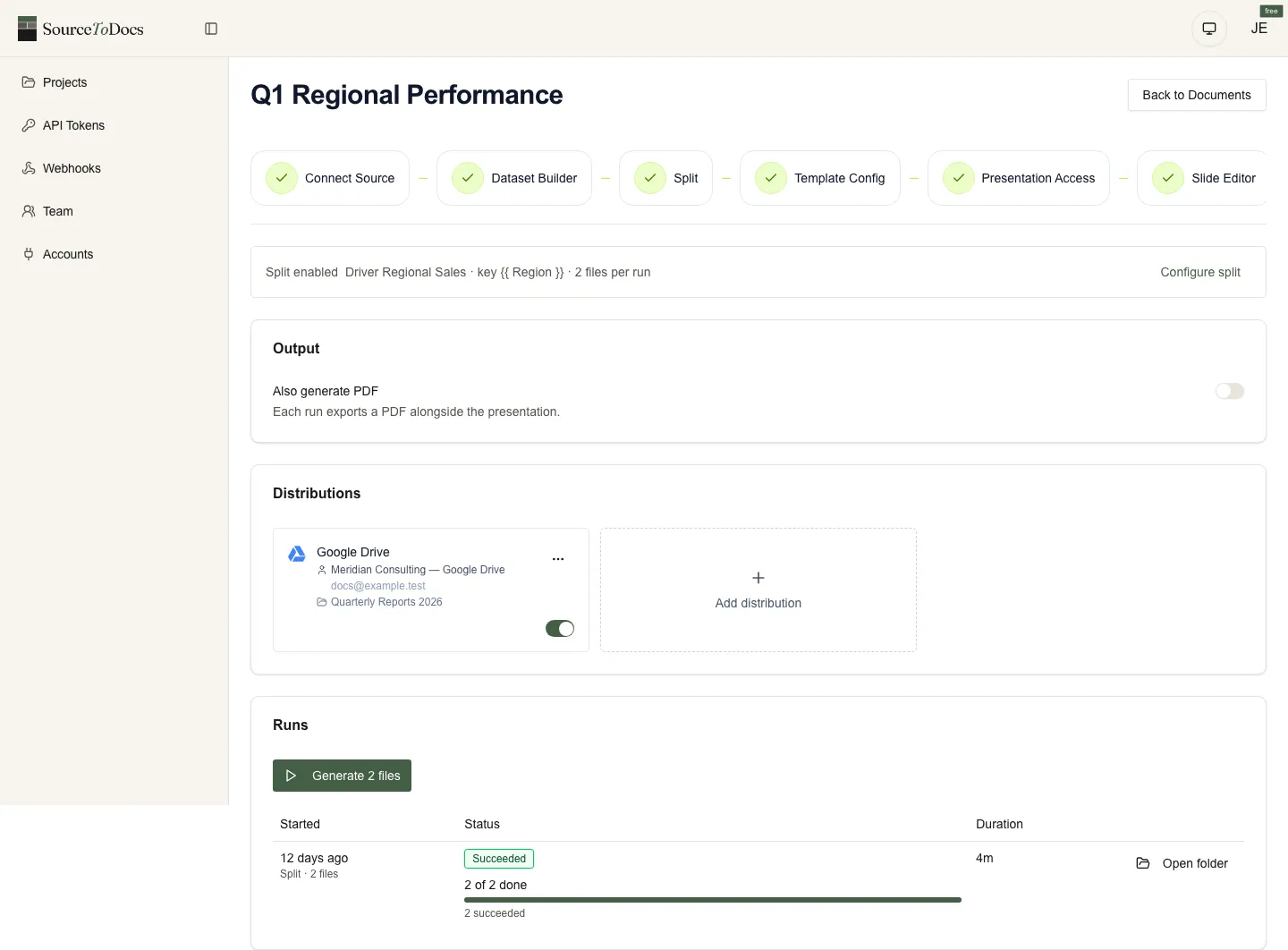
Where files go: Google Drive
Each document has one or more destinations: a Google account and a folder in it, in My Drive or a shared drive. Every file goes to every destination you have switched on, so two destinations give you two copies. The folder is remembered by identity, so renaming it in Drive doesn’t break delivery.
A batch (a split run, one file per client) creates a folder of its own inside the one you chose, named after the document and the moment the batch started. One month’s reports never mix with the next month’s.
How runs start
| Started from | Typical use |
|---|---|
| Generate in the app | Monthly reports someone reviews before sending |
| n8n | On a schedule (n8n’s Schedule trigger), when a record changes, when a form is submitted |
| The API | From your own system or any automation tool that can make an HTTP request |
| An AI agent over MCP | ”Run the Q4 QBR decks for every account”, in Claude or any MCP client |
Runs are queued and processed in the background, so a batch of two hundred decks doesn’t need anyone to watch it.
When something goes wrong
- 01
Every file has a status
Succeeded, failed or partial, per file and per destination, so a batch tells you exactly which client's report needs attention.
- 02
Warnings don't fail the file
A value that couldn't be formatted or a deck cut at Google's 300-slide limit is recorded on the run; the file is still delivered.
- 03
Retry what failed
Retry one delivery, or only a batch's failed files, without regenerating the ones that worked.
- 04
Cancel a batch
Files not yet started are cancelled; files already generating finish, and anything delivered stays where it is.
- 05
Hear about it
A workspace webhook posts each run's outcome (succeeded, failed or partial) to a URL you choose, warnings included.
Honest limits
- Google Drive is the delivery destination. There is no email, Slack or SharePoint delivery built in; send the Drive link from n8n or your own system.
- Scheduling happens in the tool that starts the run. Use n8n’s Schedule trigger, or any scheduler that can call the API.
- One delivery format per document: the Google file, plus a PDF on single runs if you switch it on.